Design van racking in 3D. Cut it on your CNC.
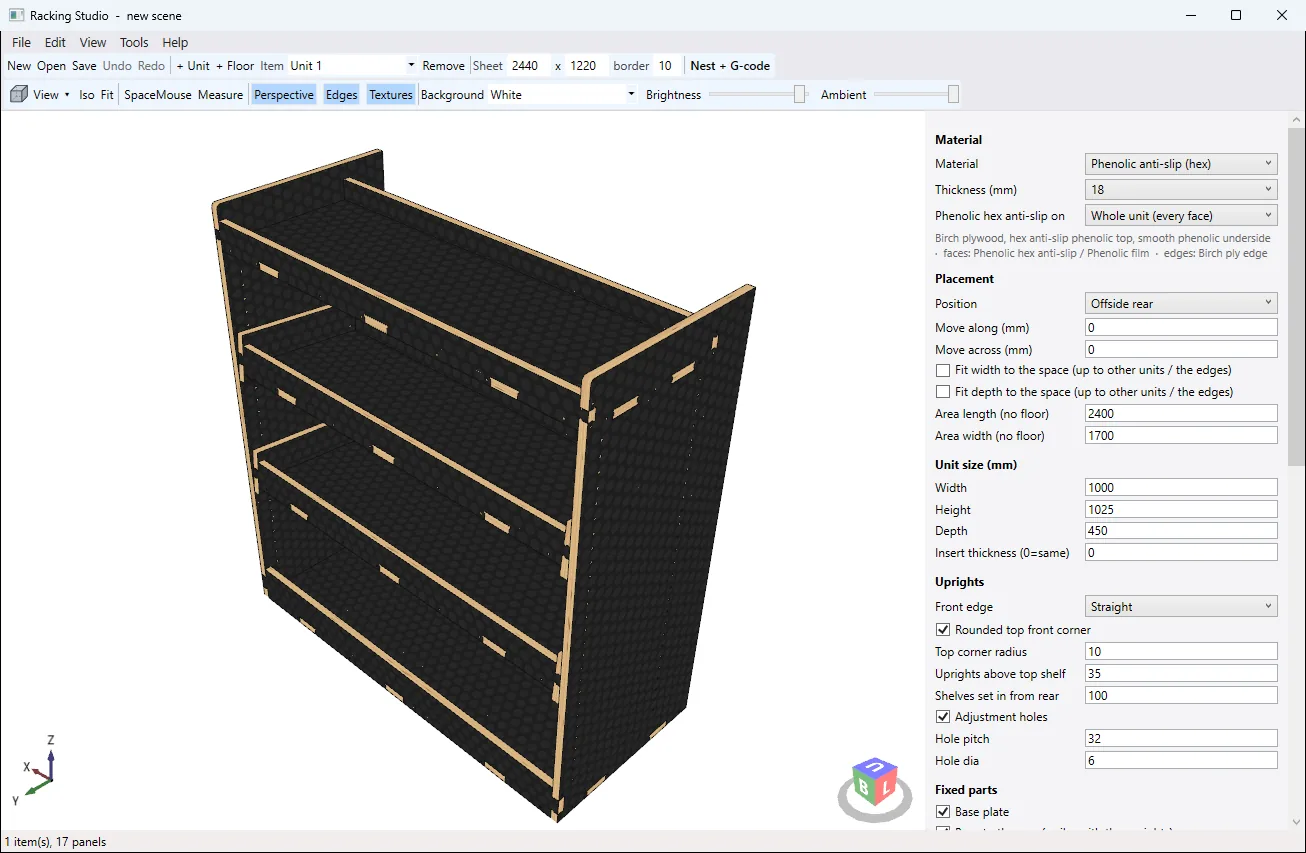
Racking Studio designs shelving units, drawers and false floors to the millimetre, then nests every part onto your sheets and writes the G-code. It runs on its own on Windows, with no CAD package needed.
£495 + VAT per licence
 Drag to turn
Everything the workshop needs comes out of one design
- 3D Model ExportSTEP/ STL for easy Import into SolidWorks, Fusion, Inventor and other CAD
- DXFEvery part flat, with true arcs, and every sheet laid out
- G-codeWith Built In Post Processors for your specific CNC Machine
- PDFSheet layouts for the machine operator
- Cut listEvery panel with its size, sheet and part number
- InstructionsA building book with numbered steps and a hardware list
- Scribing AvailableCustom scribing of your designs to any van type subject to a small aditional charge
From an empty van to work van
-
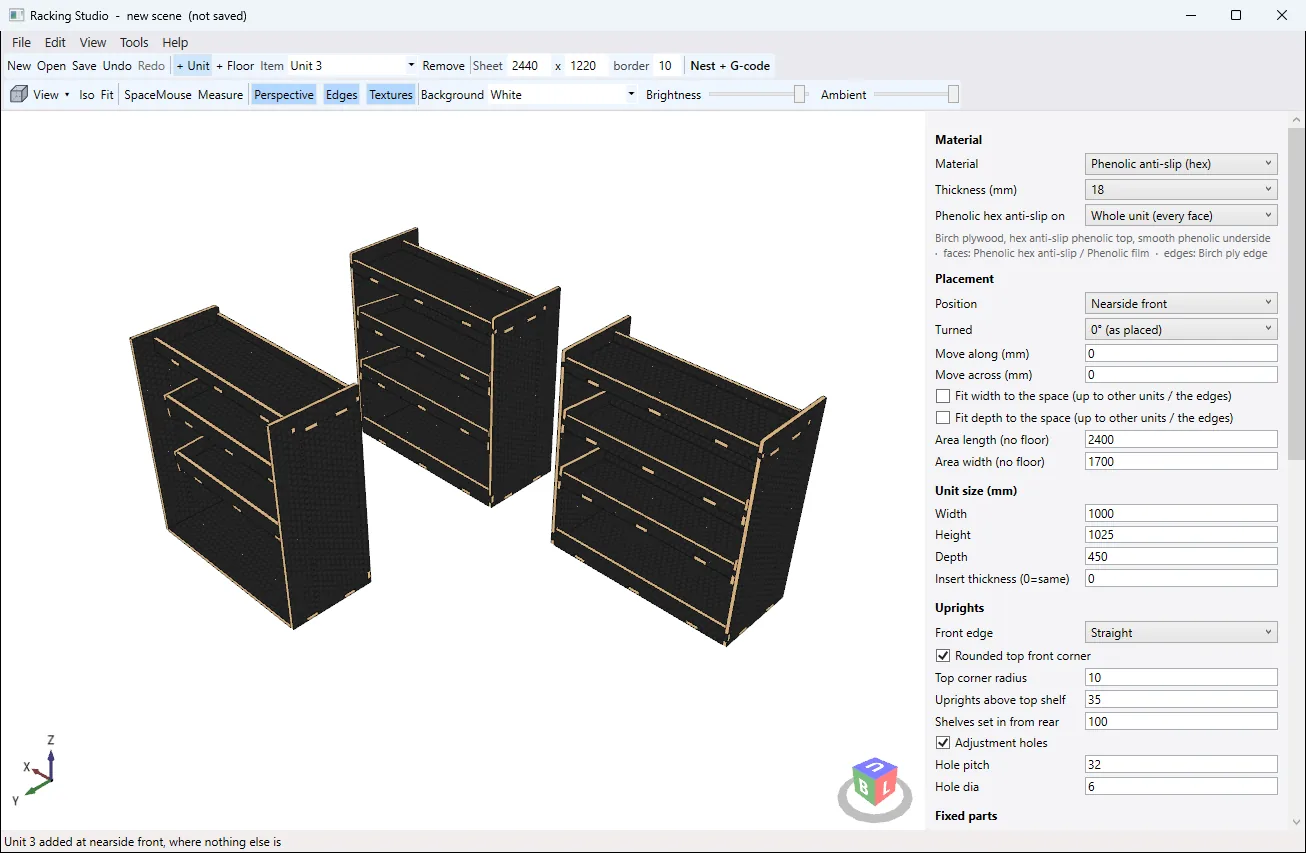
Lay out the van
Start with the false floor, then add units where you want them. A new unit goes into free space, and you're warned straight away if anything runs off the floor or overlaps.
-
Shape each unit
Add bays, flat or angled shelves with lips, dividers, drawers and spaces sized for crates. The bays set the unit's width, so nothing gets squashed to fit. Slide through a few of the layouts it makes.
-
-
Nest the parts
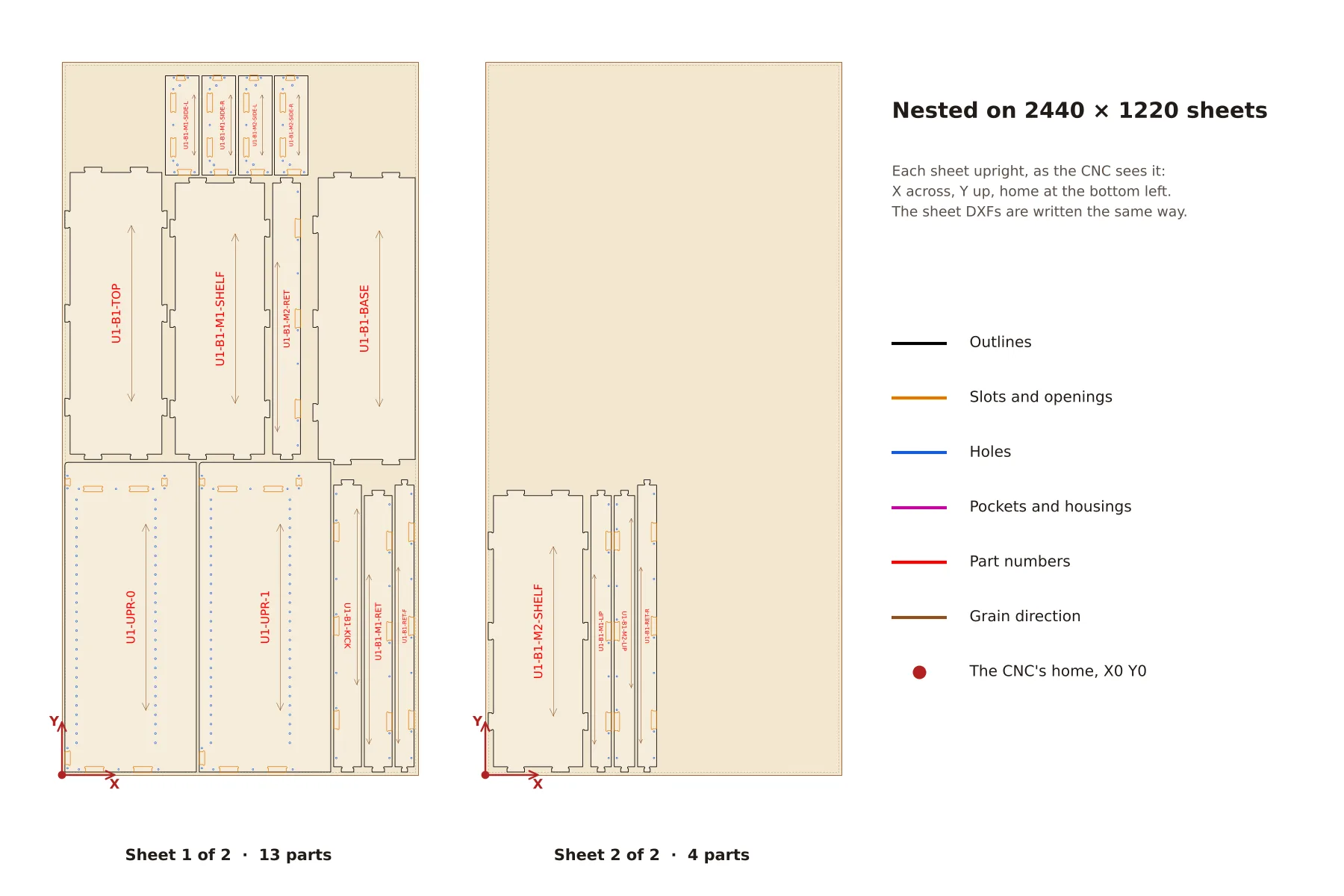
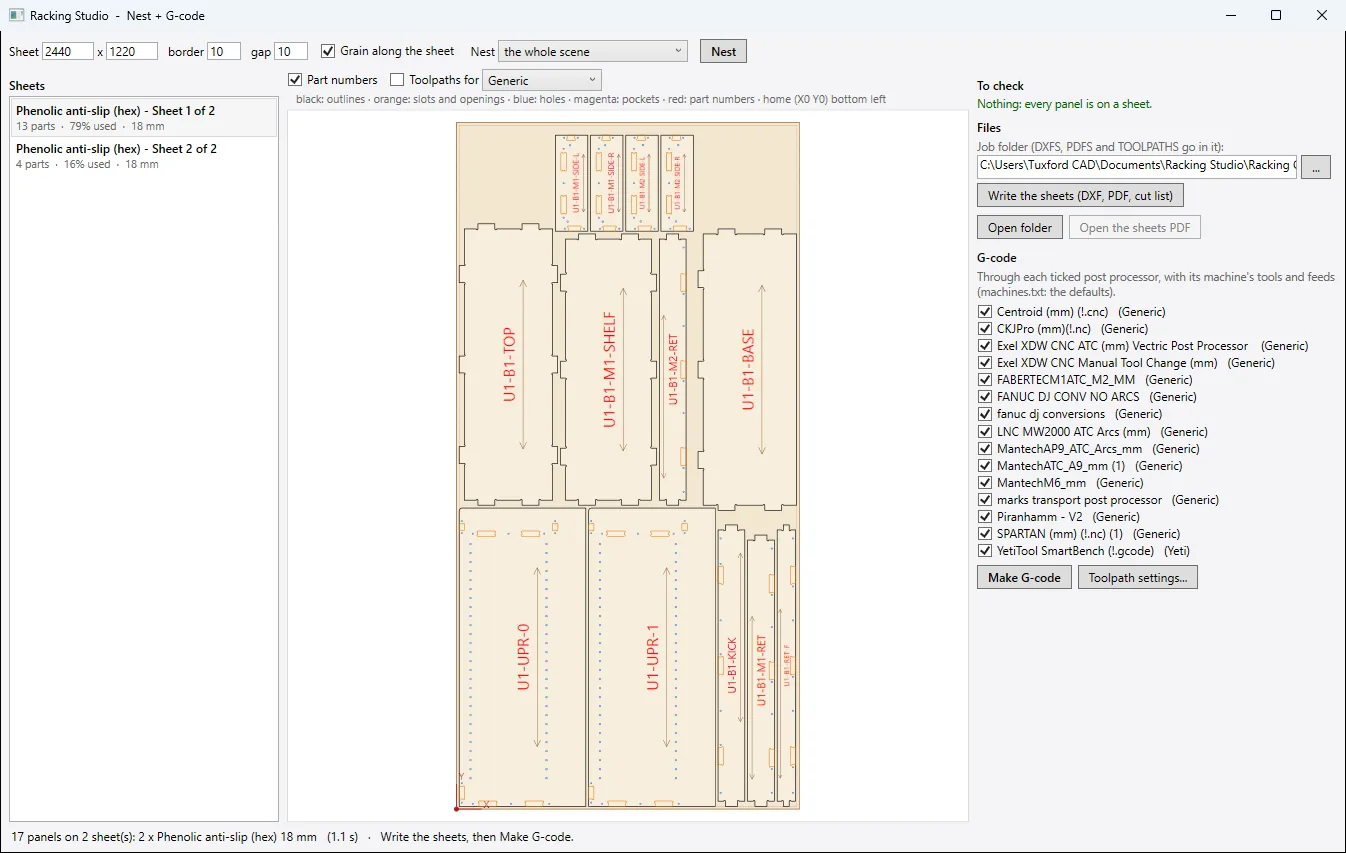
Every panel goes onto your sheet size, grouped by material and thickness. True-shape nesting locks the tongues together and keeps the grain where you want it.
-
Make the G-code
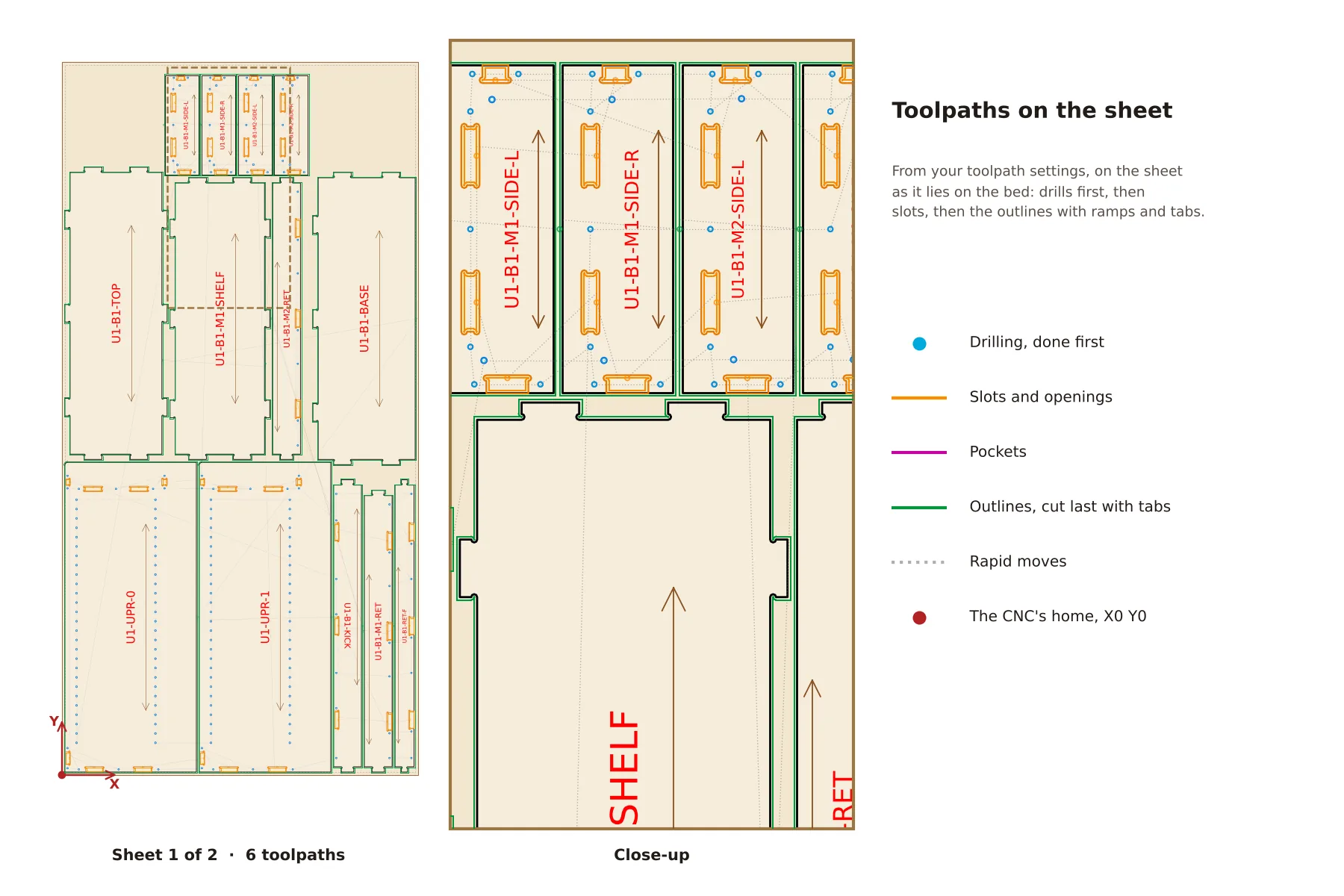
Pick your post processor and see the toolpaths on the sheet before you cut: drills first, outlines last, with ramps and tabs from your own toolpath settings.
-
Build it
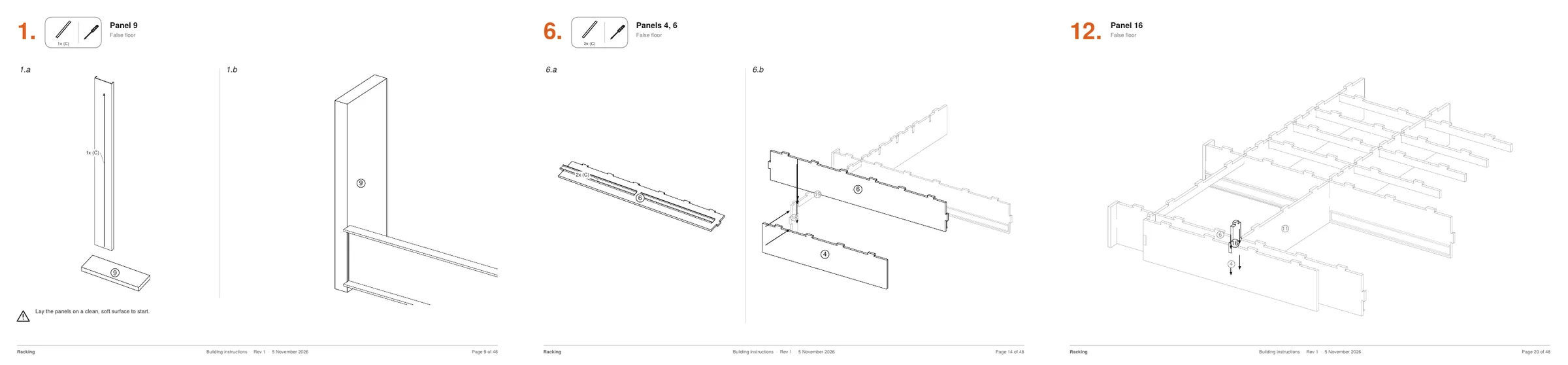
Print the assembly book: a parts checklist, an exploded view of each item and numbered steps, plus a hardware list to order from.


Built around how racking is really made
Tab-and-slot joints throughout, with dog bones cut into each tongue so panel edges stay clean. Slots, 5 mm screw pilots and 6 mm adjustment holes are placed for you.
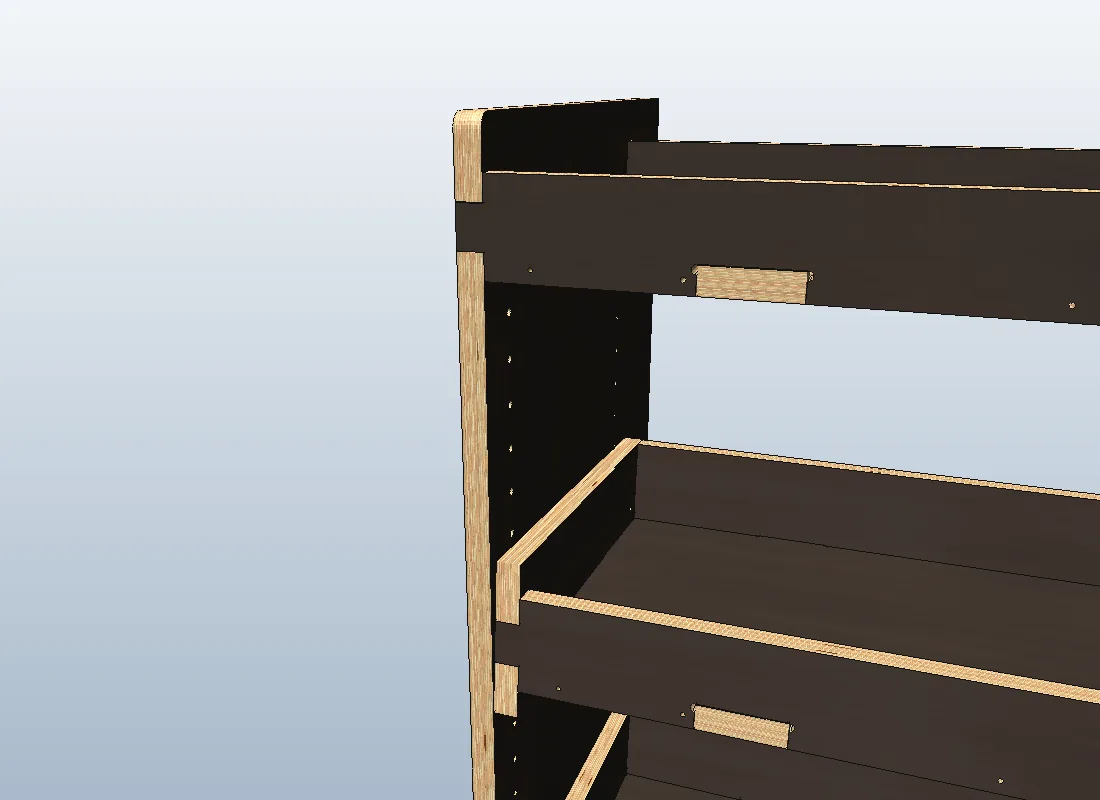
Drawers in any bay or under the floor, laid out for Accuride 3832, roller and Vadania runners with the right holes for each. Inset or overlay fronts, with finger pulls.
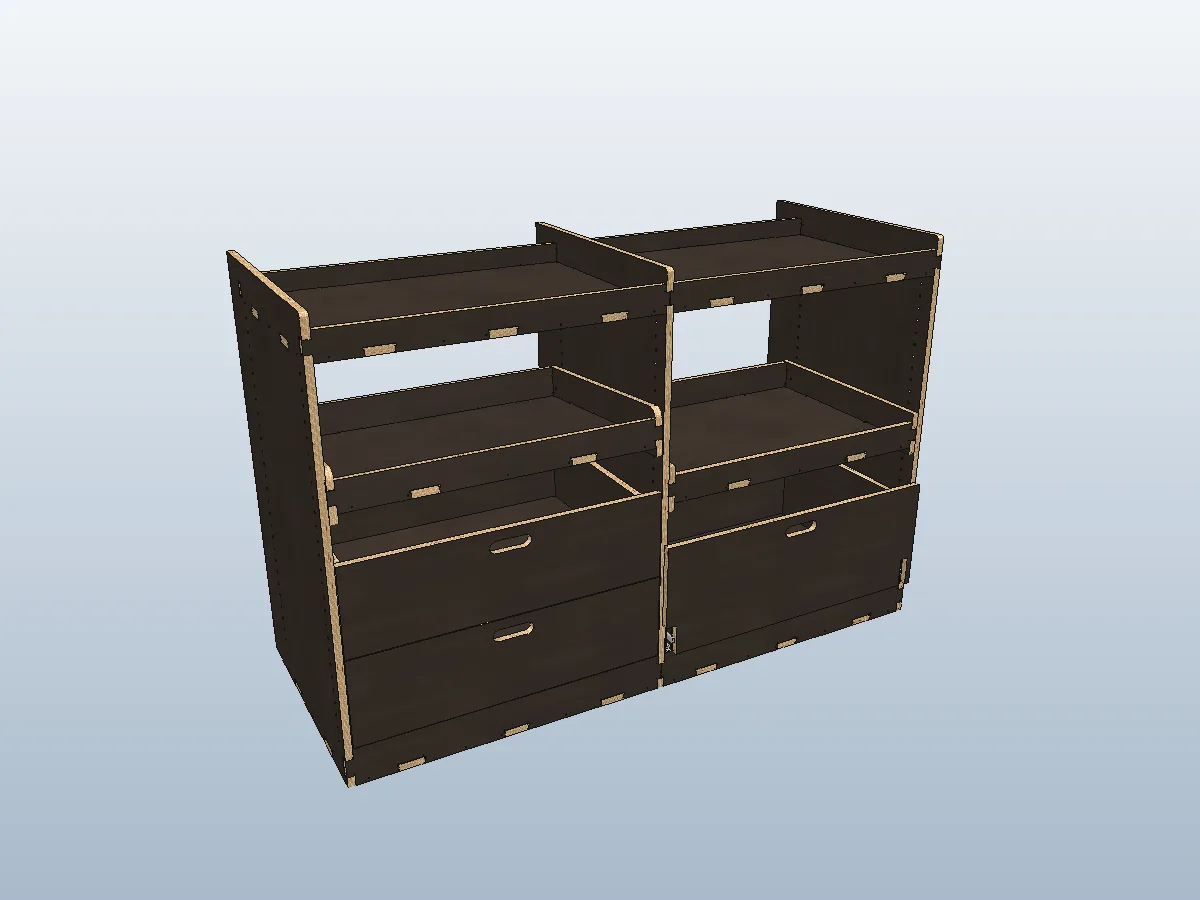
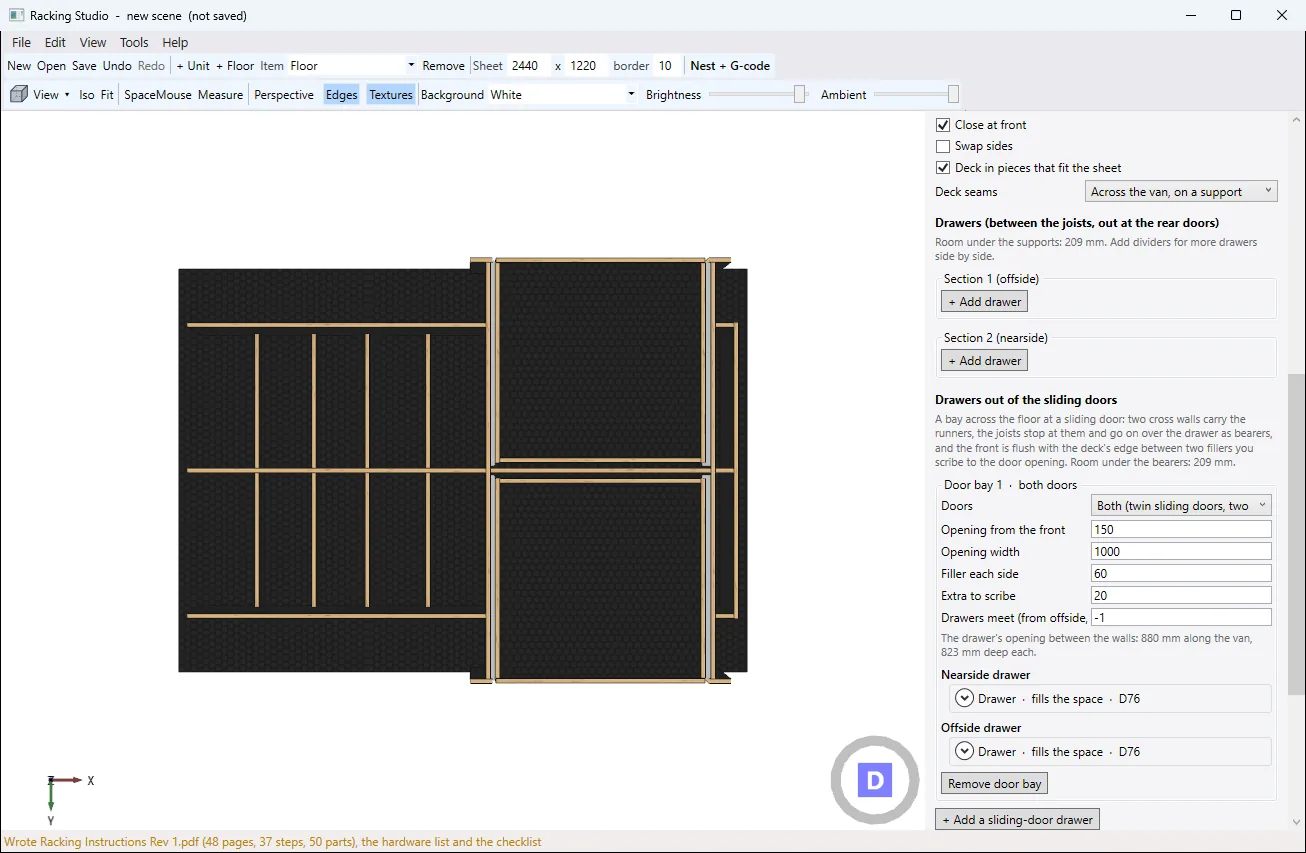
Wheel-arch clearance, overhangs, dividers and supports, a deck cut in pieces that fit your sheet, and drawers that pull out of the rear doors or the sliding door.
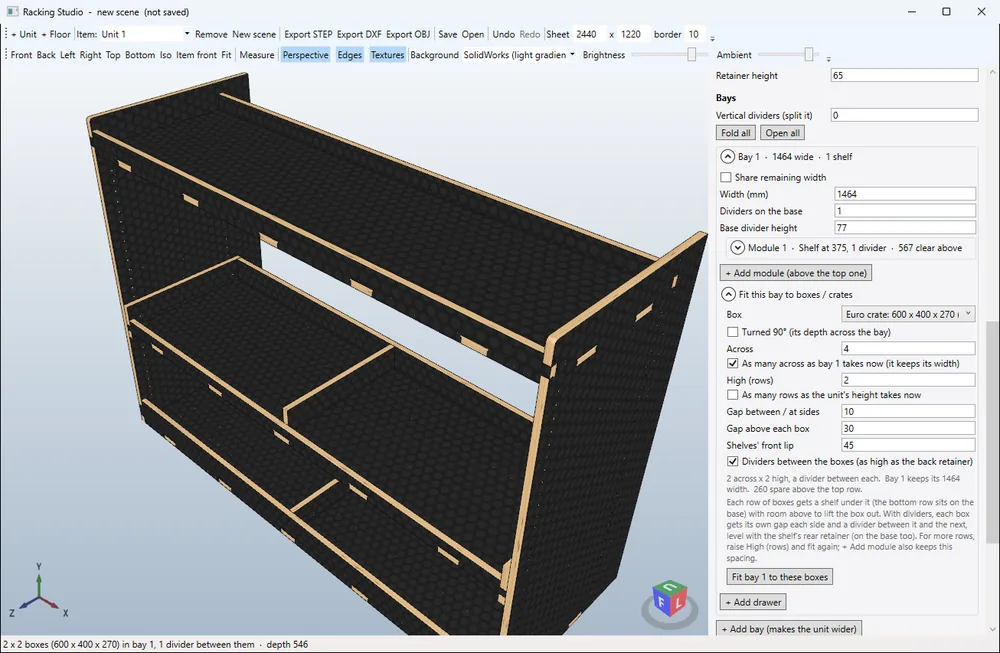
Fit a bay to Euro crates, Milwaukee Packout, DeWalt ToughSystem or TSTAK, or a size of your own. It shows the change first and asks before making a unit bigger.
Phenolic, hex anti-slip, birch ply, white laminate or MFC, from 5 to 18 mm, shown with true ply edges so your customer sees what they'll get.
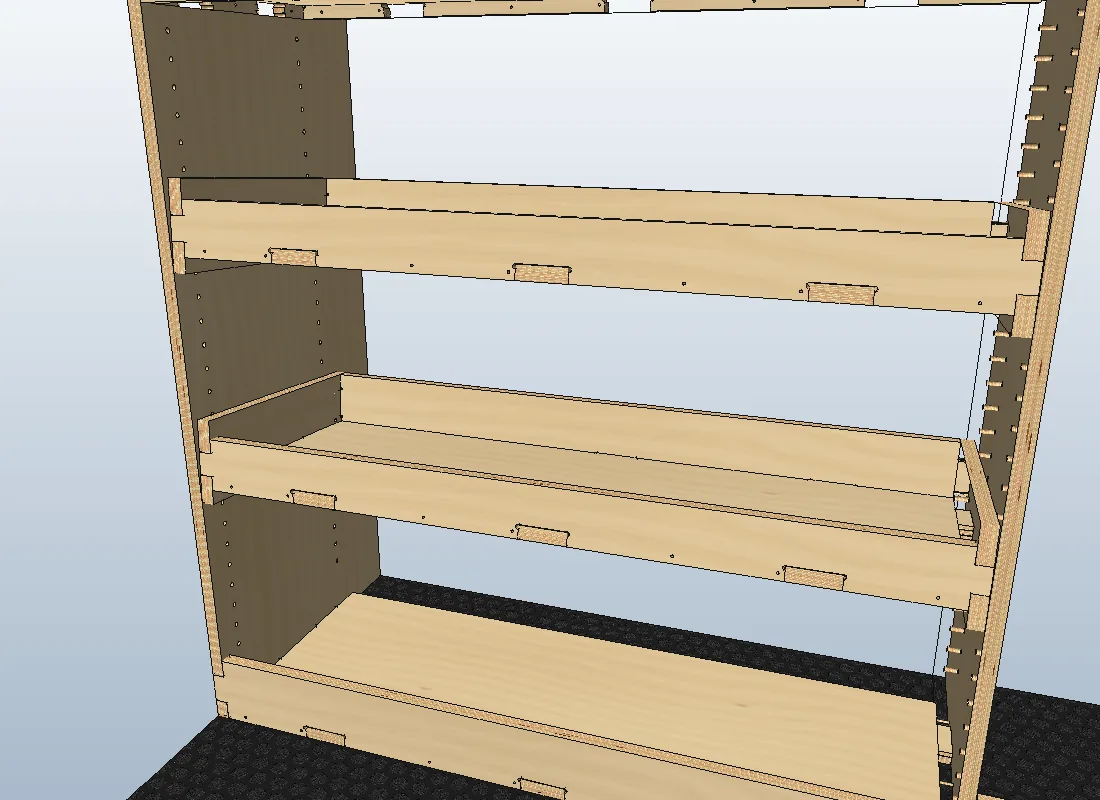
SolidWorks-style mouse controls and shortcuts, standard views, measure and undo, and full 3Dconnexion SpaceMouse support.
Straight to the machine
Each sheet is shown upright with the machine's home at the bottom left, exactly as it will be cut. Every cut is on its own layer by type and depth, small parts are cut before the big outlines, and anything that needs doing by hand is flagged before you start.
- Outlines, cut last with tabs
- Slots and openings
- Drilled holes, done first
- Pockets and housings
Your name on it
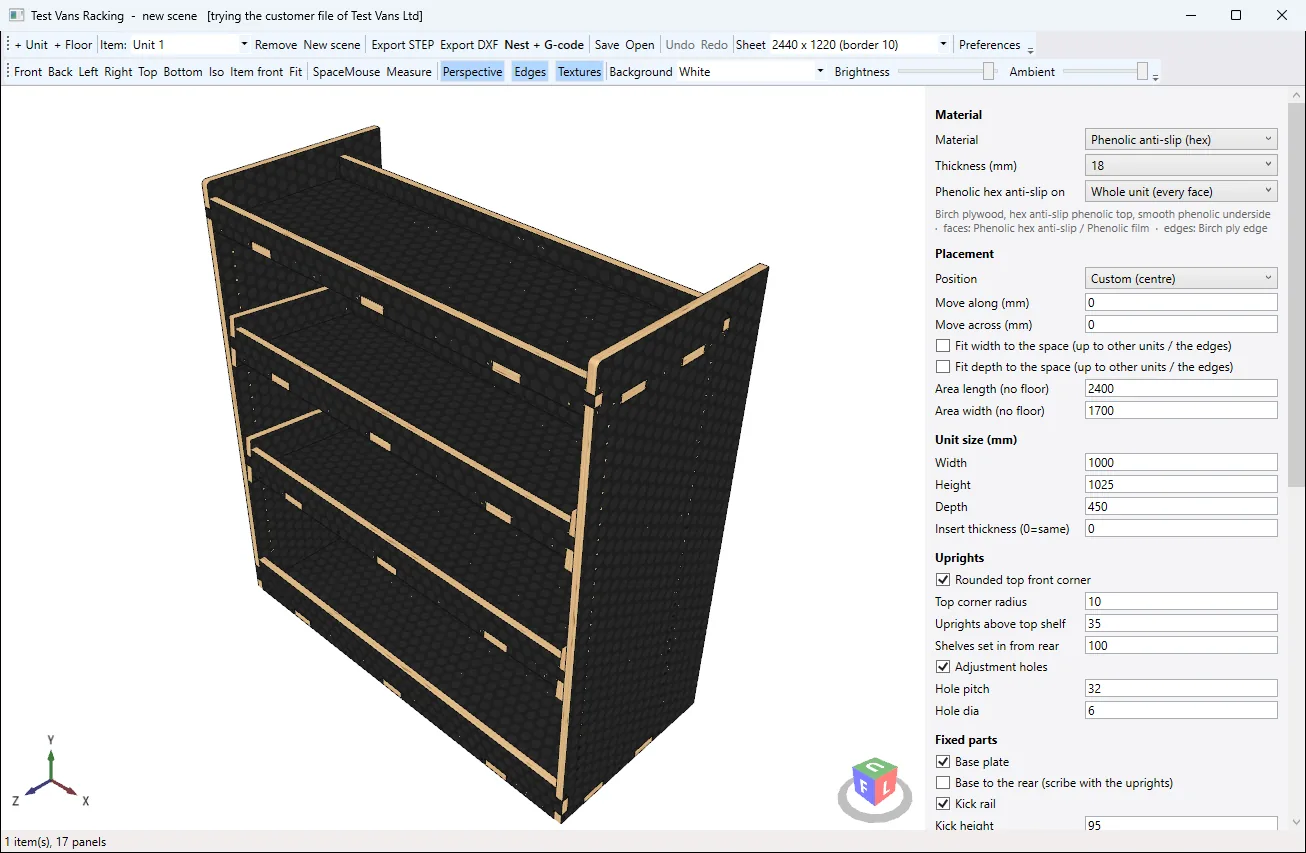
Selling racking to your own customers? We can supply Racking Studio in your branding: your company and program name, your logo, your materials and sheet sizes, your machine's post processor and your own starting defaults, with features switched on or off to suit.
Price on application
Ask for a branding priceYour own hardware, built in
Fit a runner, fixing or drawer mechanism Racking Studio doesn't have yet? We can add it to your copy. It's then drawn in 3D, drilled for in the right places and counted on the hardware list, just like the built-in ones.
Tell us what you use and send its data sheet, and we'll quote for adding it.
Price on application
Ask about your hardwareDrawer runners
Your make, types and lengths, with each runner's screw holes placed in the parts.
Drawer locks and catches
Locking levers, push-to-open or latches, with their cut-outs and holes.
Fixings and connectors
Cam and dowel, confirmat screws or a fixing of your own, at the spacing you use.
Modules you make often
A tray, holder or shelf of your own design, ready to drop into any bay.
Made in Racking Studio
-
Phenolic shelving on a hex anti-slip floor
-
Inset drawer fronts with finger pulls
-
Twin joists under a deck join, from below
-
Floor drawers either side of the twin joists
-
A stack of drawers under a shelf
-
A deck in pieces that fit the sheet
-
Units standing flush with the floor's joists
-
Measuring between parts
-
A sheet ready for the router
One price, everything in
£495 + VAT per licence
- A single licence, registered to one computer
- Shelving units, drawers and false floors
- STEP, DXF, OBJ and PDF export
- Nesting onto your sheets and G-code for your machine
- Assembly instructions, hardware list and cut list
Buying for more than one computer? Every extra licence bought in the same order is 15% off.
Work out your order
- First licence
- £495.00
- Extra licences
- VAT at 20%
- £99.00
- Total
- £594.00
Custom branding
Your own branded copy of Racking Studio, set up with your logo, materials, sheets and post processor.
Price on application
Your own hardware, built in
Price on application
Questions
Do I need SolidWorks or another CAD package?
No. Racking Studio runs on its own. If you want to take a design further, its STEP files open in SolidWorks, Fusion, Inventor and most other CAD programs.
What computer does it run on?
A Windows 10 or 11 PC (64-bit). It's a single program file, with nothing else to install. A 3Dconnexion SpaceMouse works with it if you have one.
Which CNC machines does it work with?
If your machine has a VCarve or Aspire post processor (.pp file), Racking Studio can use it. Tell us your machine when you order.
Can I use it on more than one computer?
Each licence is registered to one computer. Extra licences bought in the same order are 15% off.
Which sheets and materials can I use?
Any sheet size you cut, such as 2440 × 1220 or 3050 × 1525, in thicknesses from 5 to 18 mm. Phenolic, hex anti-slip, birch ply, white laminate and MFC are built in.
Can I give my customers assembly instructions?
Yes. Racking Studio makes a printable building book for each design, with a parts checklist, exploded views and numbered steps, plus a hardware list.
How do I pay?
Send the order form below, then pay straight from your bank: choose your bank and approve the payment in your banking app (no card needed). Or ask us for an invoice. Your copy is sent once it's paid.
Order Racking Studio
Choose how many licences you need and send the form. You can then pay straight away from your bank, or ask us for an invoice.
Or email hello@rackingstudio.com, or call 07425 768588.